
8 Big Blogging Mistakes to Avoid: Tips for Beginners

Are You Making These Beginner Blogging Mistakes? Find out and Fix Them!
Reading a post like this means that you can rely on the fact that I have made these mistakes or I’ve seen others make these blogging mistakes!
If you are new to blogging or you are looking for ways to improve your blog, you are reading the right post!
Each of these blogging mistakes has a direct impact on the success of your blog, which means if these problems aren’t fixed it will impact your blog traffic and your ability to make money blogging in a negative way.
So, let’s get started and be sure to leave comments at the bottom of the post with any questions you have.
Related: 9 Blogging Tips for Beginners – Advice from Experienced Bloggers
8 Beginner Blogging Mistakes You Must Avoid!

–
This post contains affiliate links, which means I may receive a small commission at no extra cost to you. I only share products and services I have personally used and love. Disclosure here.
Blogging Mistake #1: Not Having an SSL Certificate
You’re probably thinking huh? What does this mean? Let me explain.
When you do not have an SSL certificate your website is set up with HTTP. When you DO have an SSL certificate your website will have HTTPS set up.
Why does this matter?
HTTPS is essentially additional security for your domain. If you only have HTTP this means it’s easier for personal information to be stolen. This is especially important for sites that collect credit card information and have passwords.
Also, some browsers won’t actually let users get through to a ‘non-secure’ (aka Http) site. This means that the website will automatically lose traffic. There is some additional helpful information on HTTP vs. HTTPS in this article.
How to set up an SSL certificate
To make sure your site is secure and set up with HTTPS contact your website host. I use Siteground for my hosting. Their customer service is stellar so they were extremely helpful and set up my SSL certificate immediately.
Mistake #2: Not Understanding SEO

SEO, which stands for search engine optimization is crucial to focus on from the beginning so your content can be indexed in Google properly.
Over time your articles will begin to index and drive consistent traffic to your website.
To rank in Google and other search engines, you must focus on 2 key areas:
1. On-Page SEO
There is a formula to writing blog posts so they can rank well in search engines. This requires you to optimize your content so Google can find it and display to users who are searching.
I highly recommend an eBook called Easy On Page SEO, by Debbie Gartner. It’s perfect for SEO beginners and even seasoned SEOers as there are some amazing tips and tricks you can use right away to start making an impact on your SEO.
2. Backlinks
The second way to increase your ranking in Google is by getting reputable sites to link to your website content, also known as backlinks.
Getting quality backlinks can happen organically over a long period of time, but there are tried and tested strategies that can increase your backlinks much quicker.
One way you can get backlinks is to guest post on other websites. Learn more about the benefits of guest posting works plus access my guest posting directory of websites currently accepting writers.
I also learned some incredible tips from the eBook Easy Backlinks for SEO which tells you about 31+ ways you can get backlinks without blogger outreach!
Remember that having your posts ranking in search engines means more traffic being sent to your website, without you having to actively promote!
This saves a lot of time so focusing on SEO from day one will make a huge difference to your long term blogging strategy.
Want to try a FREE blogging course?
Make sure to sign up for Mike Pearson’s Free SEO Bootcamp (The creator of Stupid Simple SEO). This intro video series teaches some of the key fundamentals of SEO, such as:
Enroll in the SEO Bootcamp now!
Blogging Mistake #3: Having the Wrong URL structure
Unless you have a blog that is newsworthy or short-lived content it’s best to have your URL set up without the date.
The problem: WordPress automatically sets up blog posts with the date in the URL structure, so you need to change this.
Setting Up Your URL Structure (aka Permalink)
Your best option is to set up your preferred URL structure before you launch your blog. To do this go to to your WordPress dashboard and go to Settings/Permalinks.
You will see there are various permalink settings available…

Make sure to choose ‘post name’ to have your post title at the end of your url. This is optimal for SEO.
The problem with having your permalink set up as ‘month and name’ is that it can affect search engine results as the post gets older, so better to leave the date out altogether.
Note! If you need to update your permalink structure you can set up a redirect. Make sure to talk to your website host and/or theme provider for tips on how to set up your redirect, otherwise, you will lose a ton of traffic.
Mistake #4: Not Using Pinterest

Let me share some Pinterest stats with you that will make sure you start using Pinterest as your not so secret traffic-driving weapon…
- 400 million people around the world use Pinterest every single month
- Pinterest is the #1 traffic driver for the majority of bloggers
- Pinterest is a search engine and not a social platform – you can, therefore, drive traffic without a large number of followers
- The average lifespan of a pin is 3.5 months! This compares to Twitter at 18 minutes, Instagram at 19 hours and Facebook at a max of 6 hours. I even have a pin that’s been my #1 performer for over 1 year 🙂
Not using Pinterest to promote content is one of the biggest blogging mistakes I see.
The above reasons are why Pinterest is crucial for beginner bloggers to set up as soon as they start their blog.
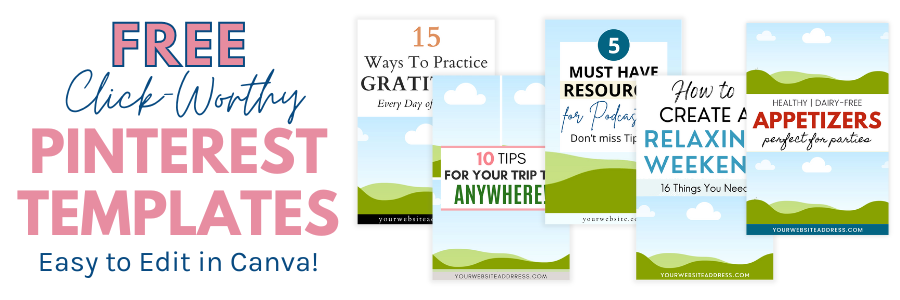
👉 TIP! Grab these Free Pinterest templates…
To get access to FREE Pinterest templates, sign up below…
Blogging Mistake #5: Only Focusing on Instagram
It’s wonderful if you love Instagram and have an engaging audience, however, Instagram is not known to be a big traffic driver.
Instagram is excellent to build your brand and to attract companies you can collaborate with. It’s also an amazing way to connect with your audience, BUT…
Instagram is NOT going to be a huge traffic driver to your website.
Don’t make the big blogging mistake of only using Instagram.
When promoting your content it’s essential that you use various methods to drive traffic and not just stick with one channel such as Instagram.
Top Ways To Increase Traffic to Your Website:
- SEO – More in section 2 above
- Email communications. I use Mailerlite for my email list. Click here to join 🙂
- Pinterest Business Account + consistent pinning and keyword research to maximize traffic
- Facebook blogging groups – These are my recommended Facebook blogging groups
- Facebook business page – Improve your engagement with these 10 types of Facebook posts
Mistake #6: Bad Grammar
There are so many tools available these days like the free version of Grammarly, so there are zero excuses if you have spelling and grammar mistakes in your articles.
Okay, we all may notice something small from time to time that you have to go back and fix, but you must put time and effort into making sure your grammar is solid. This also includes perfect spelling in all Pinterest images and other social media graphics.
What I love most about Grammarly is that it works everywhere online since it’s a Chrome and Safari extension! So, you can ensure all emails, social media posts, blog posts, Canva graphics, etc will be perfect.
Blogging Mistake #7: Writing Content Your Target Audience Isn’t Interested In
When you have a blog you must know who your target audience is.
If you are only focused on your mom, dad and next-door neighbour as your audience then go ahead and write for them.
BUT, if you want to attract a wider audience and grow unique visitors to your blog you must take a step back and write content that caters to your audience.
Identifying your Target Audience:
- Determine WHO you are writing for. Is it busy moms, foodies, frugal families, small businesses?
- Find out what problems/challenges your target audience has or what inspires them. If you’re not sure how to do this – just ask! Here are some great free tools to get feedback.
- Once you have feedback, decide what your IDEAL audience looks like. Go ahead and draw a picture of them. Write down their gender, age, income level, what keeps them up at night, what motivates them. Give them a name 🙂
Once you know your target audience make sure that every single time you create content – you are creating it for them and them only.
Write content that provides a solution or solves a problem for your audience.
Blogging Mistake #8: You Don’t Have a Facebook Business Page
Some people think they don’t need a Facebook business page as they share all of their content from their personal Facebook page.
STOP doing this!
If this is you, you are most likely annoying your friends and family.
Don’t let this upset you as I bet they aren’t your ideal target audience anyway?
If some of your friends and family are interested in what you have to say they can like and follow your Facebook business page.
Build your Facebook business page and deliver consistent content that will appeal to your target audience.
Related: 10 Examples of Facebook Posts to Share on Your Business Page
—
I hope the above tips will help you realize that everyone does make mistakes when starting a blog (this is totally normal)!
My advice: Once you discover a mistake or a change you’d like to make take care of it as soon as possible 🙂
Have questions on any of the blogging mistakes above?
Let me know in the comments section below… 🙂
–
More Blogging Tips:
- Best Free Blogging Courses To Try This Year
- How to Make Money Blogging – Tips for Beginners
- 17 of the Best Free Stock Photo Sites for Bloggers
- How to Blog Legally – Tips from a Lawyer who Blogs
PIN ME!


About Yolanda
Marketing Consultant & Web Designer
I help online business owners & content creators drive more traffic, leads & sales to stop guessing and start seeing real results.
With 25 years of online marketing experience, I teach proven strategies, tactics & tools to help you set & achieve your goals, in a way you never imagined possible. Learn more!