Pinterest Business Account Vs. Personal: What’s Best?

Pinterest is an amazing place to save ideas and get inspired. However, did you know there are two types of accounts you can have? Let’s look at the Pinterest business account vs. personal and what might be best for you.
A personal account is great for most people who use Pinterest for fun. You can save pins, make boards, and follow others. A business account gives you extra tools to help promote your content or products on Pinterest.
If you’re thinking about using Pinterest as part of your marketing strategy, specifically to drive traffic to your website, then a business account is a must.
It allows you to see how your specific pins, boards, and account are performing which is imperative for your Pinterest growth strategy.
Let’s dive in a little more to discuss the details.

Pinterest Personal Account Explained
A Pinterest personal account is perfect if you want to use the platform for fun and inspiration. It’s free to set up and allows you to save and organize ideas for your personal life.
Whether you love collecting recipes, craft ideas, sewing patterns, small business tips or productivity ideas, Pinterest has something for everyone.
With a personal account, you can:
- Create boards to save your pins to
- Save pins to those boards
- Follow Pinterest accounts you enjoy
- Most of all, enjoy collecting ideas, how-to’s and inspiration for things you’re interested in
Your personal Pinterest profile shows your boards and pins. You can also make some boards ‘secret’ if you want to keep certain ideas to yourself.
To find content with a personal Pinterest account is the same as a business account – you simply do a search for what you’re looking for and you’ll find loads of ideas.
You can also just go to your home feed to see content from accounts you follow. Your home feed will also show you related content Pinterest thinks you’ll love.
Benefits of a Pinterest Business Account
A Pinterest business account offers additional features to help you understand your Pinterest users and your overall performance on Pinterest.
A business account is ideal if your main goal is driving more traffic to your website and if you’re looking at ways to increase your email list.
So, if you’re a blogger, content creator, small business, coach, podcaster, digital shop owner or anyone else who has content you want more eyes on – a Pinterest business account is for you.
Key Features Of A Business Account
Pinterest business accounts have helpful features for business owners and marketers. This includes:
Pinterest Business Hub:
This area provides a snapshot of your analytics (impressions, engagement, saves & top pins). You can also access Pinterest ads here.
Note: there is no need to use ads, if you have a strong organic Pinterest strategy, however, if you ever did want to start Pinterest advertising you can get started in the business hub.
If you have a Shopify store you can also request to become a verified merchant in the business hub.
Pinterest Analytics:
This tool is the main reason you’ll want a business account as it shows you all of the data about your pins, boards and overall account. It highlights outbound clicks to your website, saves, impressions and more.
👉 Understanding this data is important to grow traffic from your Pinterest account which I highlighted in this post: Important Pinterest Metrics To Track Every Month.
Pinterest Trends:
This free tool that allows you to:
- See what’s currently trending on Pinterest (by country)
- Do a keyword search for a topic and see related keywords that are trending
- Use filters and search by keyword, interests, age, and gender to see trends for each group
Pinterest Audience Insights:
This is a powerful tool to help you understand your audience on Pinterest (the people who are engaging with your content).
Here are some cool insights it shows you:
- Specific interests by core Pinterest categories
- A breakdown of your audience by age, gender, location and device
Rich Pins:
Rich pins automatically add extra info to your pins, like product prices or recipe ingredients. This makes your content more useful and clickable.
Pinterest Ads:
If you want to run Pinterest ads you’ll also need a business account.
Claim Your Website:
You can claim your website or Shopify store on Pinterest, which will show a verified website on your profile.
Join My Upcoming Pinterest Workshop!
2-day live ZOOM workshop — March 26TH & 27TH, 2026
Pinterest Essentials: Live Training
Tired of getting little or no traffic to your content and offerings?
Find it impossible to effectively grow your email list?
Should You Convert To A Business Account Or Start A New Business Account?
If you currently have a personal Pinterest account you might be wondering whether you should convert it to a new Pinterest business account.
I’m guessing the main reason you are thinking of doing this is so you can keep your current; followers.
To help you decide whether to convert your personal account to a business account or start a whole new business account, here are 2 key questions to answer…
Does your personal account have a strong following and if yes, are they your core target audience for your business?
- If they are not your ideal audience then there is no reason to keep them
- If they are your audience it might be worth converting your personal account
Do you pin your business’s content to your personal account, with no other topics?
- If yes, this is a good reason to convert your personal account
- If not, going for a new business account would be the way to go
The main reason to start a new business account is to separate your personal pins and boards from your business.
For example…
If you love to personally save pins about crockpot recipes, but your business is about dog grooming you’ll want to start a new account.
Or if you love pinning crafts and decor ideas for the home, but your business is personal finance, you’ll want to start a new business account.
👉 I personally recommend keeping a separate personal account and starting a new business account. This way you can enjoy Pinterest for personal interests and also become a master Pinterest marketer with your separate business account.
If you are a content creator, blogger, or small business whose goal is traffic, email list, and income growth, then the key is to treat your Pinterest account like a business.
This means having a strategy to grow your account with followers who want your content and can’t resist clicking through to your website or shop.
How To Convert Your Personal Account To a Business Account
1. Login to your Pinterest account either on mobile or desktop.
2. Go to account settings/convert account.
Mobile: Tap on your profile picture, then account management. Here you’ll see an option to convert to a business account. Tap this option and then select the red button ‘convert account’
Desktop: Click on your profile picture in the top right corner of the screen, then click on ‘settings’. Select account management and then select the red button ‘convert account’
3. Set up account details.
This includes your selected profile name and your website address.
It will also ask you to describe your type of business so Pinterest can customize recommendations based on your goals. This is where you can say whether you’re a blogger, service provider, influence, shop, retailer, etc.
That’s it!
Note: If you’re choosing this option, make sure to make non-related boards ‘secret’, so you can still pin to these secret boards without your followers seeing it. To make a board secret simply go to ‘edit board’ and toggle on the ‘Keep this board secret’.
How To Start a Free Business Account
To get started with a fresh Pinterest business account here is a quick tutorial on how to get started.
Like converting a Pinterest account above, it’s a straightforward process that takes just a few minutes.
Now you can go ahead and check out your new Pinterest business profile as well as the new features you have access to.
Key Takeaways
- Simply put, personal accounts are for saving personal ideas (recipes, home decor ideas, affirmations, etc), while a business account is designed to help you drive traffic to your website or shop
- Business accounts offer extra features like detailed analytics, audience insights, and advertising solutions
- You can switch from a personal to a business Pinterest account without losing your content or you can start a new Pinterest business account and use both separately
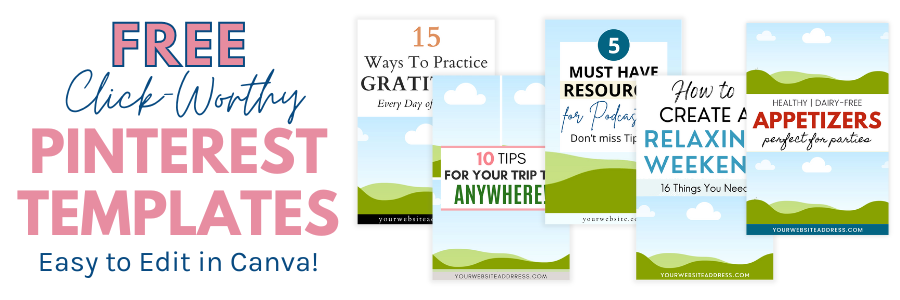
Want some Free Pinterest Canva Templates to Get Started?
I have designed these FREE Pinterest templates so you can easily create new pin designs that perform – helping you drive more traffic to your content, products, or services. Grab them below…
More Pinterest Resources for Beginners:
- What Are Impressions on Pinterest and Do They Matter?
- 4 Important Pinterest Metrics to Track + Free Analytics Tracker
- Pinterest SEO Tips: How To Find the Best Keywords
PIN for Later


About Yolanda
Marketing Consultant & Web Designer
I help online business owners with marketing best practices to stop guessing and start performing.
With 25 years of online marketing, I share and teach my best strategies, tactics and tools to help you set & achieve your business goals, in a way you never imagined possible. Learn more!

